Quick Start Guide
Dishwasher
Open the door and insert the tablet.
Press the power button.
Use the arrow buttons to select the cycle you would like.
Press the start/pause button.
Close the door cycle will start.

 Search


WIFI password –
Thank you for booking with Dyson Farming. Our goal is to make sure that your stay is as hassle free as possible, so if you have any queries or questions before or during your stay, no matter how small or large, please do not hesitate to contact us on 07415 646 953.
Pheasants Nests were converted in 2020. From a building that has stood empty and abandonded for many years, the farm buildings have been sensitively redeveloped to enhance the existing site. A key part of our approach to estate management is to ensure the working history of the estate is preserved.
For more information about your stay, activities and appliance instructions – please see below. For anything not covered please feel free to contact us on the details provided.
We hope your stay at 1 The Pheasant is relaxing and frustration free – we have installed high quality appliances to help ensure that that everything runs as smoothly as possible.
Just in case, we have put together some quick start guides to help with any problems you might encounter.
If you can’t resolve a problem on your own please don’t hesitate to give your host a call on 07415 646 953.
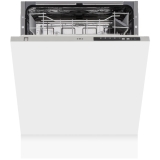
Dishwasher
Open the door and insert the tablet.
Press the power button.
Use the arrow buttons to select the cycle you would like.
Press the start/pause button.
Close the door cycle will start.
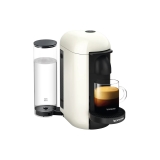
Fill the water container at the back.
Lift the handle at the front and insert coffee pod.
Choose either small or large cup.
Press power button to start.
For milk frother fill the side container with milk.
Press power button to start.
Pour milk into coffee.

Oven
Select the function you require fan oven / grill / oven.
Use the temperature selector to set the temperature.
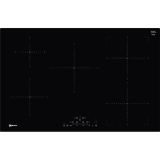
Hob
Touch screen dials.
Press and hold the power button to turn on.
Press and select the ring you would like to use.
Then use the + or – button to set the heat.
Child lock- key symbol press and hold.
Timer / Clock symbol press the + or – symbol to set.
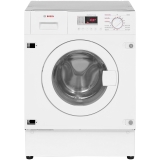
Washing Machine:
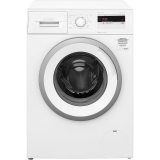
Washing machine:
Use the numbers to decide which cycle you would like.
Use the temperature button to select the temperature you need.
Use the time button to select the time you need for require for your wash.
Dryer:
To alter spin/time/heat use the touch screen that shows the symbols.
Then press and hold the start/pause button to start cycle.

Vacuum
The Dyson V11 Vacuum is hug on its charging block on the wall in the utility room.
To Use:
Remove the Dyson from the charging block. Pull the trigger on the handle to start the suction. There are three settings of Max, Medium and Low. This can be changed by using the sliding button on the body of the Dyson.
To Remove Parts:
Push in the red buttons and pull the parts away from the main body of the Dyson. To add parts (different heads are kept in the cupboards in the utility room) push the red button and push the parts towards the body of the Dyson.
To Empty:
Take off any parts that are attached to the main body of the Dyson. Make sure not to pull the trigger and to do into the bin. Push the red leaver under the handle downwards. This will release the waste in the Dyson. Lift the side that had been released and click it back in place.
Shower
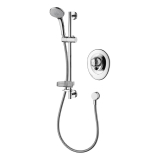
Use the top round dial, turn left to use overhead shower or right for hand held shower
Use the bottom round dial to adjust the heat of the shower.
Return top dial to the middle to turn the shower off.

Hairdryer
The sliding switch turns the power ON/OFF.
The button below this is the cold shot. Press and hold this button to deactivate heat and set style.
The Red button on the right controls the 4 different temperature settings.
The button on the left controls the 3 different air flow settings.
Key Safe
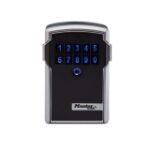
Press the circular button the wake the key lock.
Enter the code that was given to you.
Press the two buttons on the side at the same time and pull the face of the key lock away from the body.
To lock, shut the face back onto the body of the Key Lock.