Quick Start Guide
DISHWASHER (Built-in):
Open the door and insert the tablet.
Press the power / on button.
Select the cycle you would like.
Press the start button.
Close the door cycle will start.

 Search

WIFI username: BTBHub6-R6GQ
WIFI Password: xAWDYpJqAFk6
Thank you for booking with Dyson Farming. Our goal is to make sure that your stay is as hassle free as possible, so if you have any queries or questions before or during your stay, no matter how small or large, please do not hesitate to contact us on 07415 646 953.
The farm buildings have been sensitively redeveloped to enhance the existing site. A key part of our approach to estate management is to ensure the working history of the estate is preserved.
For more information about your stay, activities and appliance instructions – please see below. For anything not covered please feel free to contact us on the details provided.
We hope your stay at the Budding, Lower Ledge is relaxing and frustration free – we have installed high quality appliances to help ensure that that everything runs as smoothly as possible.
Just in case, we have put together some quick start guides to help with any problems you might encounter.
If you can’t resolve a problem on your own please don’t hesitate to give your host a call on 07415 646 953.
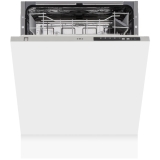
DISHWASHER (Built-in):
Open the door and insert the tablet.
Press the power / on button.
Select the cycle you would like.
Press the start button.
Close the door cycle will start.

MICROWAVE (Russell Hobbs RHM2064C Heritage Digital Microwave):
Turn the dial until you get the time you require.
Press start.
Press stop / clear button when finished.
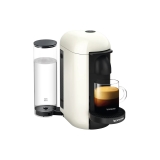
Coffee Machine
Fill the water container on the side.
Turn the machine “ON” by pushing the button.
GREEN lights will blink while the machine is heating up.
Steady GREEN light indicates the machine is ready.
Place a cup of sufficient capacity under the coffee outlet.
Open the machine head by pushing the lever upwards. The machine head will open automatically, with an electrical mechanism.
Insert a capsule with the dome shape facing downward.
Push the lever down to close the machine head.
Push the button to start the brewing process. Green light will rotate slowly.
During the coffee preparation phase coffee will start to flow. Green light will rotate quickly during brewing. Steady GREEN light indicates that coffee brewing is ready.
To stop the coffee flow early, push the button. Steady GREEN light indicates that coffee brewing is ready.
To manually top off your coffee, push the button and push again to stop when desired volume is reached.
To eject the capsule, open the machine head by pushing the lever upwards. The machine head will open automatically with an electrical mechanism.
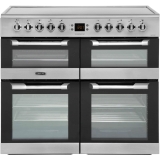
MAIN LARGE FAN OVEN AND GRILL (CUISINE MASTER CS100C510 COOKER) :
Turn on the mains fuse switch located on the wall.
The main fan oven is the bottom left hand side the grill is the top left hand side. The dials on the left hand side work the left oven and grill. please see the picture above the dial that indicates which oven to use.
Choose the setting you would like to use (fan oven / oven / grill) by turning the dial.
Choose the temperature you require by turning the temperature dial.
SMALLER OVENS (CUISINE MASTER CS100C510 COOKER):
Turn on the mains fuse switch located on the wall.
The two smaller ovens are on the top and bottom of the right hand side of the cooker. The dials on the right hand side work both of the right side ovens, please see the picture above the dial that indicates which oven to use.
Choose the setting you would like to use.
Choose the temperature you require by turning the temperature dial.
Please note that this side of the oven doesn’t make a noise but it will heat up.
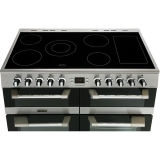
HOB:
Turn on the mains fuse switch located on the wall.
Select the ring you would like to use. (Please see the picture above the dial that indicates the location of each ring).
Turn the dial to the temperature you require (1 is the lowest temperature setting and 6 is the highest temperature setting).
The hob will light up and will be red when in use.
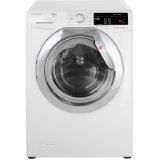
Washing machine:
Turn on the mains fuse switch located on the wall.
Insert washing powder and softener if required.
The dial on the left hand side is to operate the washing machine.
Choose the setting you require by using the dial.
Choose the temperature you require for your wash.
Press start.
Dryer:
Turn on the mains fuse switch located on the wall.
The dial on the right hand side is to operate the dryer.
Choose the setting and drying time you require by using the dial.
Press start.
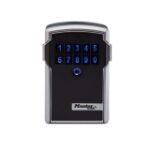
Key Safe
Press the circular button to activate the key lock.
Enter the code that was sent to you.
Press the two buttons on the side at the same time and pull the face of the key lock away from the body.
To lock, shut the face back onto the body of the Key Lock.